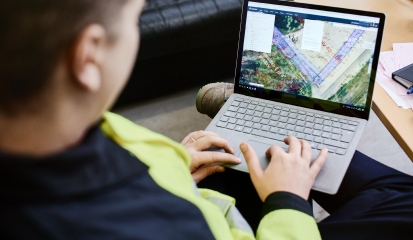

Infrakit Office
Cloud-based collaboration and storage for all project data

Model-based insights for precise project execution

Real-time updates for actionable decisions

Scalable construction data solutions for projects of all sizes
-
Collaborate EfficientlyShare files, models, and other project assets with stakeholders in real-time. Create saved views that group relevant data for easy access.
-
Share InsightsComment on views and drawings, bringing attention to key details in specific areas.
-
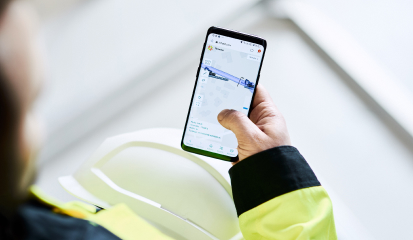
Mobile SynchronizationAccess saved views and share comments directly from your mobile device to stay connected wherever you are.
-
View DesignsView design data in powerful map and 3D apps in variety of formats (PDF, DXF, DWG, XML, IFC, Laz, Tiff, etc.).
-
Interactive ToolsUse measurement and cross-section tools to analyze models and drawings directly on the map, ensuring accurate interpretations on-site.
-
Visualize Reality Capture DataMake your job site alive with connected drone workflows. Visualize real-time maps and point clouds and calculate volumes from digital elevation models.
-
Capture, Upload & Edit PhotosTake photos directly from your mobile device, rename and organize them, align binding located photos on the map even in GPS-obscured locations to enhance context and organization.
-
Document ManagementUpload and view project documents like PDFs and reports, searchable and filterable for quick access.
-
Map IntegrationLink photos and documents to specific locations on the project map, offering a seamless connection between files and their context.
-
Data AggregationManage all data sources, like total stations, GNSS rovers and machine control, in one platform.
-
Efficient EditingEdit multiple as-built points at once and download or generate PDF reports for selected points.
-
Powerful VisualizationView selected data set on map, in cross section or in 3D, to achieve state-of-art quality assurance process.
-
Organize Your FilesEasily manage your project’s files with folder structures, drag-and-drop uploads, and folder visibility settings.
-
Version ControlAdd new versions of files simply by dragging them in, with Infrakit automatically creating and tracking version history.
-
File ToolsUse tools to create shortcuts, approve files, attach alignments, and more, all with easy access from the file menu.
-
Track Equipment StatusView whether equipment is online or offline, synced with the project, and what 3D model machines were working on.
-
Usage StatisticsSee detailed stats of each machine’s work and performance, with a timeline view of machine activity.
-
Machine AccuracyWith built-in accuracy tracking, it is easy to make sure each equipment is calibrated and ready to work.
Seamless integration with your favorite tools
Although Infrakit offers the most integrations on the market, if we don’t have a tool you need for your work — just text us! We’ll come up with something. Find your toolScalable solutions for every role, every need
Essentials
Owners, contractors, consultants, and designers starting with construction tech
Infrakit Office
Infrakit Field
Infrakit Survey
Infrakit Truck
Standard product support
Basic remote training
Pro
Model-based managers: contractors and owners managing model-based construction projects
Essentials
Infrakit Link (Integrations, Equipment, As-Built Management)
SSO (Enhanced Security & User Management)
Standard product support
Tailored training
Dedicated solution specialist
Enterprise
Large enterprises managing complex projects
Pro
Enterprise API (Cloud to Cloud Progress Monitoring)
Enhanced product support
Tailored training
Dedicated solution specialist
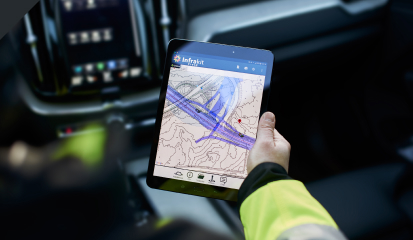
Infrakit makes it easy to monitor progress on the site in real time, and is also helpful in planning.
Krista Uutela
Design Coordinator at Destia
Infrakit provides a good overview of the models used in the machines!
Jarle Vatne
Project Manager at Risa
Infrakit is unmissable in our present-day work.
Jan Boerman
Surveyor at Dunnewind Groep
I don’t know how this project could have been carried out without Infrakit.
Heikki Jakomaa
Site Manager at Destia